📍Download HD Map of Your Village and Farm: A Complete Guide
In today’s digital age, having an HD map of your village and farmland is not just useful but essential for property records, farming decisions, legal matters, and government schemes. With advanced satellite mapping tools now available online, you can easily view and download high-definition (HD) maps of your village, plot, or agricultural land from your mobile or computer.
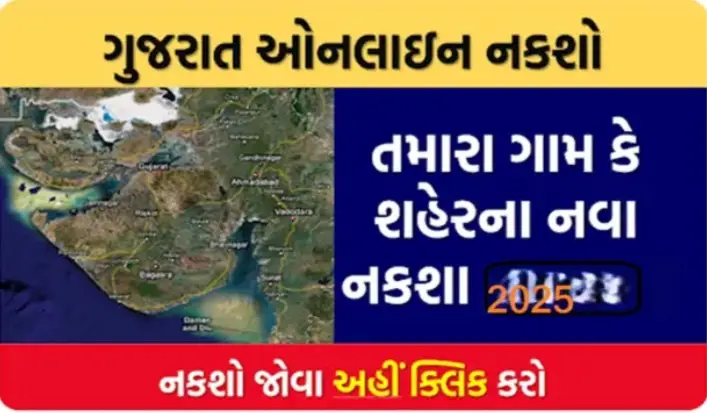
This guide will walk you through how to access and download HD maps of your village and farm using trusted platforms like Bhuvan, Bhunaksha, Google Maps, and state revenue portals.
✅ Why Download an HD Map of Your Village or Farm?
Downloading a digital or HD map is helpful for:
- 🧭 Understanding land boundaries
- 🧾 Verifying ownership and Khasra-Khatauni details
- 🚜 Planning agricultural activities
- 🏡 Village planning and development
- 🧑🌾 Applying for government schemes (PM-KISAN, land registration, etc.)
🛰️ Top Ways to Download HD Village or Farm Maps
1. 🌐 Bhuvan – ISRO’s Satellite Mapping Tool
Bhuvan is a government portal by ISRO where you can view high-resolution satellite maps of India.
🔗 Visit: https://bhuvan.nrsc.gov.in
📝 Steps:
- Open the Bhuvan portal.
- Select your state and district.
- Zoom into your village or farmland.
- Click “Download” to save the HD image.
👉 Features:
- Clear satellite imagery
- Tools for measurement and labeling
- Updated land records
2. 📍 Google Maps / Google Earth
Google Maps or Google Earth allows you to download your land or farm view with GPS accuracy.
🔗 Google Earth: https://earth.google.com
📝 Steps:
- Open Google Earth or Google Maps.
- Search your village name or farm location.
- Switch to Satellite View.
- Take a screenshot or save the image in HD.
👉 Tip: Use Google Earth Pro (Free) for advanced tools like 3D view, map printing, and measuring area.
3. 🧾 Bhunaksha – State Revenue Land Map Portal
Each Indian state has its own Bhunaksha (Land Map) portal to download cadastral maps with survey numbers.
Examples:
- Bhunaksha Chhattisgarh – https://bhunaksha.cg.nic.in
- Bhunaksha Bihar – https://bhunaksha.bihar.gov.in
- Bhunaksha UP – http://upbhunaksha.gov.in
📝 Steps:
- Visit your state’s Bhunaksha portal.
- Select your district > tehsil > village.
- Choose your plot number.
- Click “Map Download” or “Print” in PDF/PNG.
👉 Bonus: These maps are official revenue records and usable for legal and documentation purposes.
4. 📱 Using Mobile Apps for HD Land Maps
You can also use mobile apps to get HD maps:
- mPariksha (Govt land services)
- AgriApp (for farm maps & weather)
- My Land Records (Land ownership + map)
- Google Earth App
🌾 How Farmers Use These HD Maps
- 🚜 Field measurement and irrigation planning
- 📑 Land disputes and boundary clarity
- 🧑🌾 Availing PM-Kisan, KCC, or DBT benefits
- 🌿 Precision farming and drone mapping
📄 Documents Required (Optional for Some Portals)
- Land ownership details
- Khasra or Survey Number
- Village or plot number
- Aadhaar/Patta Number (in some states)
📌 Pro Tips
- Use screenshot tools or PDF printers to save high-quality maps.
- Mark your plot boundaries manually using tools on Bhuvan or Google Earth.
- Store both digital and printed copies for future use.
- Keep your land documents updated on state revenue websites.
📥 Final Words: Download HD Village/Farm Map Today!
With free and powerful tools available online, you don’t need to visit any office to get your land map. You can view, mark, and download your village or farm’s HD satellite map right from your smartphone.
Start now by visiting:
- 🌐 bhuvan.nrsc.gov.in
- 📌 Your state’s Bhunaksha portal
- 📱 Google Earth App
Stay informed, own your land digitally, and plan your farm better!
If you want a state-wise Bhunaksha portal list, just ask — I can add that too.
Shall I now prepare a Hindi or Gujarati version for rural outreach?
